

Description
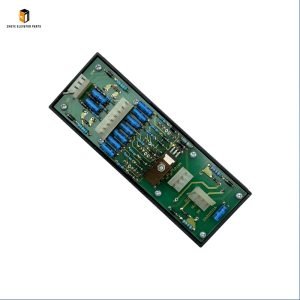
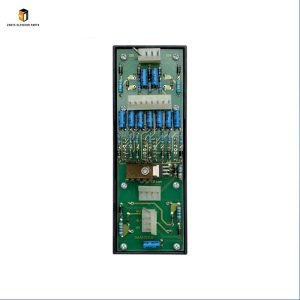
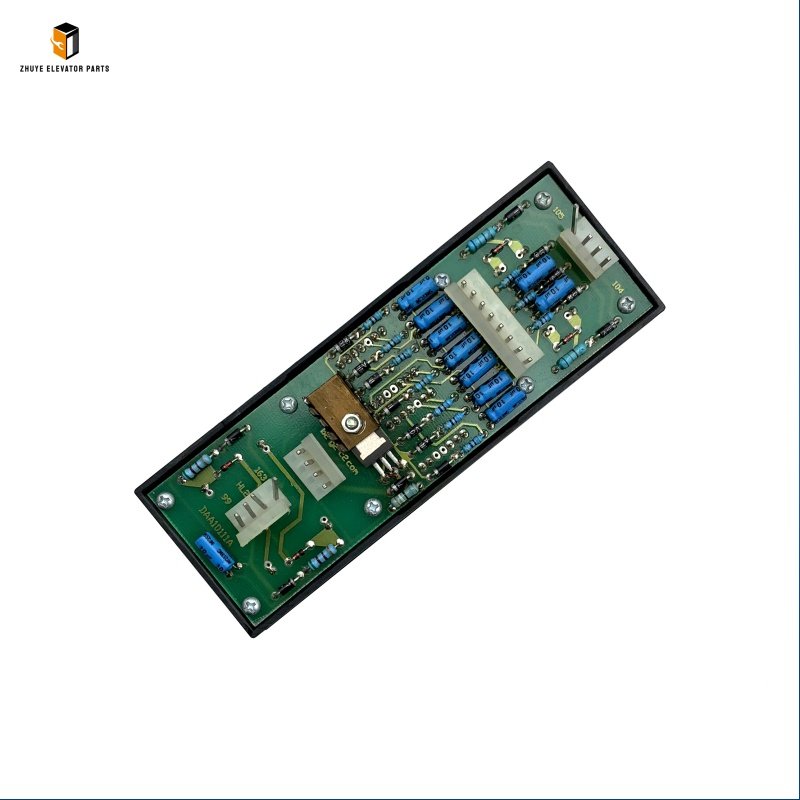
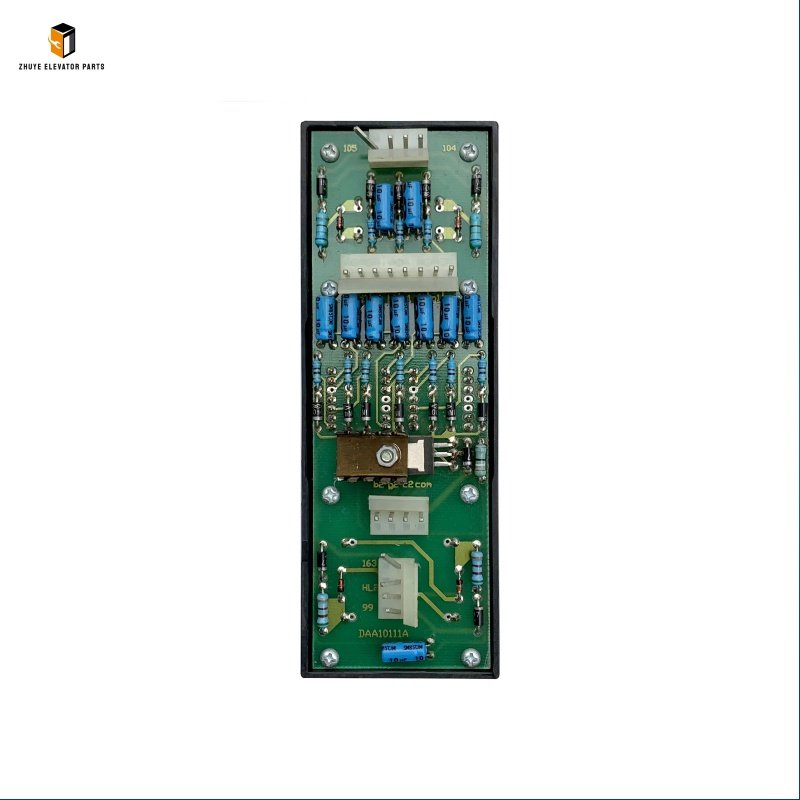
Otis elevator lop display board DAA10111A Brief Introduction
|
Product Name |
Otis elevator lop display board |
| Model Number | DAA10111A |
|
Quality
|
Original.Brand New
|
|
Payment
|
T/T. Paypal. Western Union
|
|
Delivery
|
3-5 Working Days
|
|
Packaging
|
Packed by carton
|
Otis Elevator LOP Display Board DAA10111A: Usage Guide, Replacement Cycle & Trusted Supply from Nanjing Zhuye
The Otis Elevator LOP Display Board DAA10111A is a mission-critical user interface component exclusively engineered for Otis elevator systems—including legacy and modern platforms such as LCB-II, SPBC-II, and Sigma series—essential for residential complexes, commercial buildings, hospitals, and public facilities worldwide. As the “visual communication hub” of elevator landing operations, this LOP (Landing Operation Panel) display board delivers real-time, intuitive status updates to passengers: floor numbers, elevator car position, directional indicators (up/down), door opening/closing status, and service alerts (e.g., “Out of Service,” “Emergency Mode”). It integrates Otis’ proprietary high-visibility LED technology, anti-glare display, and tactile call buttons—upholding the brand’s strict standards for clarity, durability, and universal accessibility.
Compliant with global elevator safety and accessibility standards (EN 81-20/70, ASME A17.1, ADA, ISO 9001), the DAA10111A features a rugged, user-centric design: scratch-resistant polycarbonate front panel (resists daily wear and impact), dustproof and moisture-resistant housing (IP54 rating), vibration-resistant mounting brackets, and energy-efficient LED backlighting (ensures visibility in bright lobbies or dim corridors). This construction withstands 24/7 operation in high-traffic landing areas, enduring temperature fluctuations (-10°C to +55°C), mechanical vibration, and ambient light variations—critical for guiding passengers, reducing wait-time uncertainty, and ensuring smooth elevator operation. For maintenance teams, facility managers, and elevator service providers, mastering proper installation, configuration, and replacement timelines is vital to ensuring user satisfaction, regulatory compliance, and operational efficiency. Nanjing Zhuye Elevator Parts, a trusted supplier of authentic Otis components, delivers the DAA10111A that meets Otis’ original manufacturing specifications—guaranteeing seamless compatibility, clear visual performance, and long-term reliability.
Proper Usage Methods of Otis DAA10111A LOP Display Board
1. Pre-Installation Preparation
Before installation or replacement, prioritize safety by shutting off the elevator’s main power supply, engaging the emergency stop button, and securing the work area (elevator landing panel enclosure) with warning signs and lockout-tagout (LOTO) devices. Inspect the new DAA10111A for physical damage—cracked display panels, broken call buttons, loose wiring terminals, or corroded circuit connections—defects that can cause display malfunctions or electrical hazards. Nanjing Zhuye’s strict quality control process ensures each unit arrives in optimal condition: intact LED modules, functional tactile buttons, secure solder joints, and pre-loaded Otis-compatible firmware.
Verify compatibility with your Otis elevator model by cross-referencing the technical manual or consulting Nanjing Zhuye’s technical support team. Ensure three key details align: (1) the board’s communication protocol matches the elevator’s main control system (e.g., LCB-II GFA21240D1, SPBC-II GCA26800NB4), (2) the mounting dimensions (typically 180x120x40mm) fit the landing panel enclosure, and (3) the power supply (24V DC ±10%) is compatible with the elevator’s auxiliary electrical system. Using an incompatible LOP display board can result in non-responsive buttons, unsynchronized status updates, or complete communication failure with the main control system. Additionally, prepare the installation area: Clean the landing panel enclosure to remove dust and debris, disconnect the old board’s wiring (label power, signal, and button cables for easy reinstallation), and gather necessary tools (screwdriver set, wire strippers, multimeter).
2. Installation & Configuration Steps
- Board Installation: Align the DAA10111A with the mounting brackets in the landing panel enclosure, ensuring the display faces outward for maximum visibility (optimal viewing angle of 120°). Secure the board with the provided screws (torque to 0.6–0.9 Nm) to prevent vibration-induced movement—over-tightening can damage the display panel or PCB. Connect the enclosure’s grounding cable to the board’s earth terminal (green/yellow) to reduce electromagnetic interference and ensure electrical safety.
- Wiring & Connection: Connect the power cables (24V DC ±10%) to the board’s positive (+) and negative (-) terminals, and the communication cable to the elevator’s main control board—following Otis’ wiring schematic exactly. Connect tactile call button cables (up/down, alarm) to the corresponding terminals, ensuring correct polarity to enable visual feedback (button illumination) when pressed. Tighten terminal screws to 1.0–1.2 Nm to avoid loose connections or signal loss.
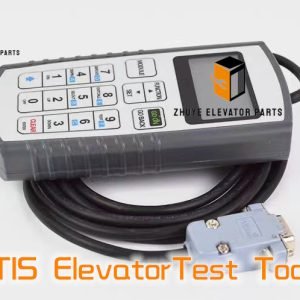
- Configuration & Testing: Restore power to the elevator (performed exclusively by certified Otis technicians) and configure the display board via Otis’ diagnostic software (e.g., OTIS Service Tool):
- Display Calibration: Verify floor number alignment, directional indicator functionality, and LED brightness (adjust to 350–500 cd/m² for optimal visibility without glare).
- Button Function Test: Press each call button to confirm tactile feedback, LED illumination, and registration with the main control system (display should show a “call registered” indicator).
- Status Sync Test: Operate the elevator through multiple floors to ensure real-time synchronization of car position, door status, and service alerts—confirm no delays or incorrect notifications.
Document configuration settings, installation details, and test results in maintenance records to track performance and compliance.
3. Routine Usage Maintenance
To preserve the DAA10111A’s functionality and extend its lifespan, implement proactive maintenance practices tailored to user interface components:
- Daily Visual Inspections: Check the display board for loose wiring, physical damage, or display issues (flickering LEDs, dead pixels, faded text). Verify all call buttons are responsive, illuminate when pressed, and provide clear tactile feedback.
- Weekly Cleaning: Wipe the polycarbonate front panel with a soft, lint-free cloth and mild detergent to remove fingerprints, dust, and smudges—avoid abrasive cleaners or solvents that scratch the surface.
- Monthly Function Test: Test all call buttons and display functions (directional indicators, door status, service alerts) to ensure full functionality. Confirm LED brightness remains consistent across different ambient light conditions.
- Quarterly Wiring Check: Inspect power, communication, and button cables for fraying, insulation damage, or corrosion—tighten terminals or replace cables with genuine Otis-compatible wires from Nanjing Zhuye if needed.
- Semi-Annual Display Sync: Use diagnostic software to verify display synchronization with the main control system. Adjust LED brightness if environmental changes (e.g., new lobby lighting) affect visibility.
Recommended Replacement Cycle
The service life of the Otis DAA10111A LOP Display Board depends on usage intensity (daily button presses, foot traffic), environmental conditions, and maintenance quality. Based on Otis’ engineering standards and Nanjing Zhuye’s technical expertise:
1. Standard Replacement Cycle
Under normal operating conditions (12–18 hours daily use, regular cleaning, ambient temperature -10°C to +55°C), the DAA10111A should be replaced every 6–8 years. This timeframe aligns with the typical lifespan of LED modules (50,000+ operating hours) and tactile button switches, ensuring proactive replacement before display clarity degrades or buttons become unresponsive.
2. Signs That Require Immediate Replacement
Replace the LOP display board immediately if:
- Display Malfunctions: LEDs flicker, burn out, or display incorrect floor numbers; text is faded or unreadable; or status updates are delayed/unsynchronized—confuses passengers and disrupts elevator efficiency.
- Button Failure: Buttons are unresponsive, stuck, or lack tactile feedback; repeated presses are required to register a call; or button illumination fails—impairs accessibility and user experience.
- Physical Damage: Cracked polycarbonate panel, broken buttons, or exposed internal components—poses safety hazards (e.g., electrical shock) and reduces durability.
- Communication Errors: The main control board displays “LOP Communication Loss” or similar faults that cannot be resolved by wiring checks or reconfiguration.
- Regulatory Non-Compliance: Fails safety or accessibility inspections due to non-functional display/buttons or inadequate visibility—violates EN 81-70, ADA, or ASME A17.1 standards.
3. Maintenance to Extend Service Life
- Environmental Control: Protect the display board from extreme temperatures, moisture, or direct sunlight—install protective covers for outdoor-facing landing panels. Avoid exposing the unit to harsh cleaning chemicals or physical impact (e.g., luggage, carts).
- Power Stabilization: Ensure the elevator’s electrical system is equipped with surge protectors—prevents voltage spikes from damaging LED modules or control circuits.
- Button Care: Discourage excessive force when pressing buttons (e.g., with fists, tools) to reduce wear on switch mechanisms. Promptly clean liquid spills to prevent internal corrosion.
- Genuine Parts Only: Use exclusively authentic Otis DAA10111A display boards from Nanjing Zhuye. Counterfeit units use low-quality LEDs, lack compatibility with Otis control systems, and fail to meet safety/accessibility standards.
Why Choose Nanjing Zhuye Elevator Parts for Otis DAA10111A?
When sourcing a critical user interface component like the Otis LOP display board, Nanjing Zhuye offers unmatched advantages for user-centric professionals:
- Authenticity & Compatibility: All units are genuine Otis components, ensuring seamless integration with LCB-II/SPBC-II/Sigma elevator systems—eliminating display synchronization or button functionality issues.
- Strict Quality Assurance: Each board undergoes rigorous testing (display clarity, button responsiveness, durability) to meet Otis’ original manufacturing and safety standards.
- Expert Technical Support: Certified engineers provide 24/7 assistance for installation, configuration, troubleshooting, and compatibility verification—even for legacy Otis models.
- Global Efficient Delivery: Fast shipping minimizes downtime, critical for maintaining user experience and operational efficiency in residential, commercial, and public facilities.
- Competitive Pricing: Direct sourcing from Otis’ authorized channels eliminates middlemen, offering cost-effective solutions without compromising display quality or accessibility compliance.
Conclusion
The Otis Elevator LOP Display Board DAA10111A is a foundational user interface component that guides passengers, enhances operational transparency, and ensures regulatory compliance. By following proper installation, configuration, and maintenance practices—paired with Nanjing Zhuye Elevator Parts’ authentic components—you can maintain clear visual communication, optimize user satisfaction, and support smooth elevator operation. Whether you need a single replacement board, bulk orders for a building fleet, or technical support for maintenance teams, Nanjing Zhuye delivers premium Otis components and tailored professional services. Invest in elevator user experience and reliability—choose Nanjing Zhuye Elevator Parts for your DAA10111A LOP display board requirements.