


Description
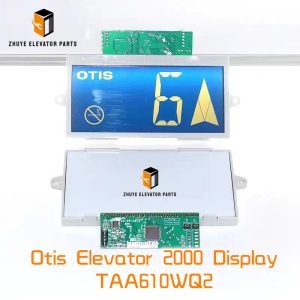
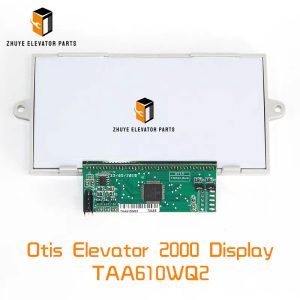
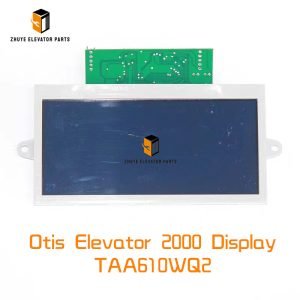
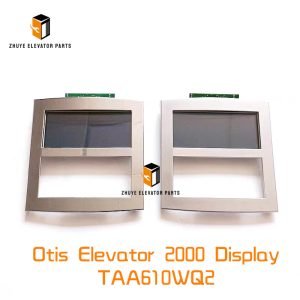
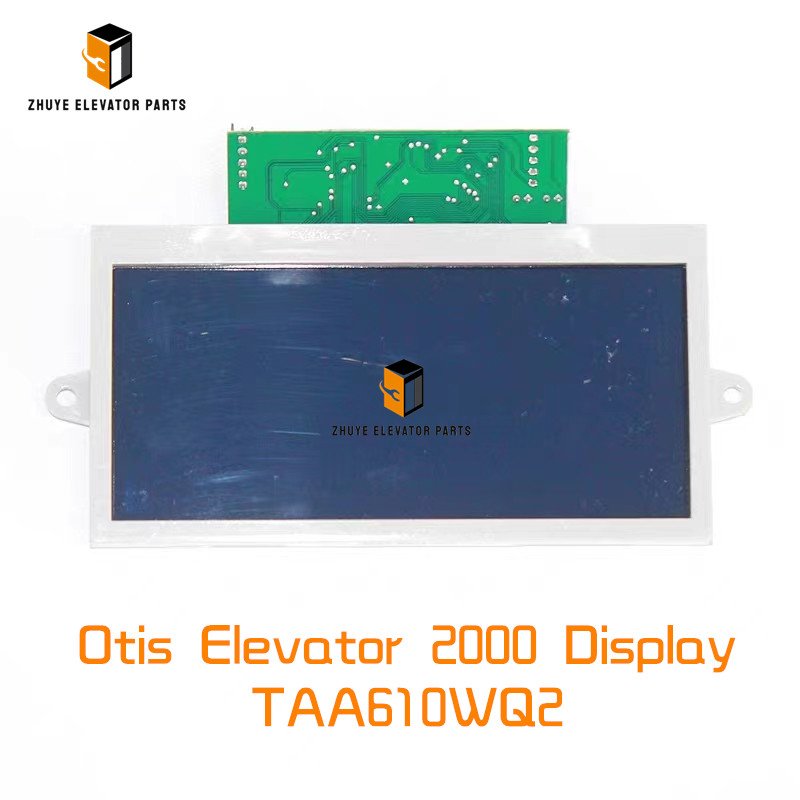
Otis Elevator 2000 Display TAA610WQ2 Brief Introduction
|
Product Name |
Otis Elevator 2000 Display |
| Model Number | TAA610WQ2
FAA25100K1 TAA610WP1 TAA5900BM33 |
|
Quality
|
Original.Brand New
|
|
Payment
|
T/T. Paypal. Western Union
|
|
Delivery
|
3-5 Working Days
|
|
Packaging
|
Packed by carton
|
Otis Elevator 2000 Display TAA610WQ2 – Installation, Calibration & Replacement Guide
Provided by Nanjing Zhuye Elevator Parts
Provided by Nanjing Zhuye Elevator Parts
Summary
The TAA610WQ2 is the 10.4-inch full-colour TFT display at the heart of every Otis Elevator 2000 (OE2K) car operating panel. It renders floor numbers, arrows, videos, ads and service messages via 800 × 600 pixels and 24-bit colour, while resisting vibration, static and coffee spills. Nanjing Zhuye Elevator Parts (NYE) has imported, burned-in and stocked brand-new, factory-flashed TAA610WQ2 units since 2016, shipping over 3 200 displays to 38 countries. Below we explain how to mount, address and—crucially—when to replace this “digital face” before backlight fade or a cracked touchscreen turns a smooth ride into a blank screen.
The TAA610WQ2 is the 10.4-inch full-colour TFT display at the heart of every Otis Elevator 2000 (OE2K) car operating panel. It renders floor numbers, arrows, videos, ads and service messages via 800 × 600 pixels and 24-bit colour, while resisting vibration, static and coffee spills. Nanjing Zhuye Elevator Parts (NYE) has imported, burned-in and stocked brand-new, factory-flashed TAA610WQ2 units since 2016, shipping over 3 200 displays to 38 countries. Below we explain how to mount, address and—crucially—when to replace this “digital face” before backlight fade or a cracked touchscreen turns a smooth ride into a blank screen.
-
Part-number breakdown TAA610WQ2 = 10.4″ TFT, 800 × 600, 400 cd/m², 24 VDC ±10 %, 1.5 A typical, 2 A peak
OE2K = Elevator 2000 platform, Linux-based, HDMI input, PCAP 10-point touch, IP41 front, –10 °C…+50 °C
Interface: HDMI video, USB touch, 24 V & 0 V power, 3.5 mm audio jack for ads
MTBF: 50 000 h @ 25 °C; LED backlight life 30 000 h to L70 -
Safety first—lock-out & verify Display sits on 24 VDC logic but shares the cabinet with 110 VDC brake circuits. Lock the controller breaker, hang a lock-out tag and wait 60 s for the rail to fall below 5 V. Keep the new NYE display in its anti-static bag until mounting—ESD can damage the PCAP controller.
-
Mechanical mounting—keep it centred Front bezel: 275 × 215 mm, cut-out 260 × 200 mm ±0.5 mm.
Insert from front, clip into 2 mm steel or 3 mm aluminium; torque M3 studs 0.8 N·m.
Maintain 10 mm air gap behind PCB; every 5 mm reduction raises internal temperature 3 °C and halves LED life. NYE supplies a free paper template (NY-TEMPLATE-TAA610) and EMI gasket (NY-GASK-TAA610) for IP54 front. -
Connection map (print and stick inside COP) J1: 24 VDC & 0 V (red/black, 1.5 mm²)
J2: HDMI video (shielded, <1 m)
J3: USB touch (shielded, <1 m)
J4: 3.5 mm audio (optional)
J5: RS-485 for brightness/touch calibration (3.3 V logic)
Torque: 0.3 N·m for 0.5 mm², 0.8 N·m for 1.5 mm² -
Power-up & display test Apply 24 VDC; backlight must light within 1 s, Linux penguin appears in 8 s.
Touch all four corners; controller must report <2 mm error.
Colour bars: R-G-B-W; no dead pixels, no line shadow.
If brightness <320 cd/m² or >3 dead pixels, replace unit immediately. -
Brightness & touch calibration Software: Otis Display Cal Tool (free).
Target: 400 cd/m² @ 20 mA, colour temp 6 500 K, gamma 2.2.
Touch accuracy: ±1 mm over active area; save settings to EEPROM (J5 register 0x01).
If calibration drifts >2 mm after 30 days, PCAP glass is delaminating—replace display. -
Temperature & lifetime model LED backlight: 30 000 h to L70 @ 25 °C, halves every 10 °C rise.
Capacitor C1 (47 µF, 35 V): 2 000 h @ 105 °C, 64 kh @ 45 °C.
Translate to building traffic: Light traffic (residence, 8 h/day) – backlight ≈ 17 years, full display ≈ 12 years; inspect every 3 years. Medium traffic (office, 12 h/day) – backlight ≈ 8 years, full display ≈ 6 years; inspect every 2 years. Heavy traffic (mall, 20 h/day) – backlight ≈ 4 years, full display ≈ 3 years; inspect every 12 months. -
Preventive inspection checklist Monthly: visual dead pixels, touch all corners. Quarterly: measure 24 VDC ripple; >200 mV pp indicates supply fatigue. Annually: lux-meter check; <320 cd/m² schedules replacement. Bi-annually: torque test J1 screws; vibration loosens them, causing intermittent blackout.
-
Wear limits & immediate-change triggers
3 dead pixels or line defect.
Touch unresponsive area >10 mm Ø.
Backlight flicker >1 Hz at any brightness.
Capacitor C1 ESR >2 Ω or bulging.
-
Rapid swap (downtime < 3 min) a) Lock-out controller, wait 60 s.
b) Photograph cable colours with phone.
c) Remove bezel screws, slide old display out.
d) Insert new NYE TAA610WQ2, torque 0.8 N·m.
e) Restore cables, power up, run calibration.
f) Log serial number and brightness reading; return old unit for recycling. -
Recycling & sustainability Nanjing Zhuye offers prepaid UPS labels inside every carton.
Returned displays are stripped: glass recycled for industrial aggregate, copper coil remelted, precious metals recovered from PCB. One recycled TAA610WQ2 saves 2.3 kg CO₂—enough to power the same COP for a month.
By treating the TAA610WQ2 as the digital face of the elevator—not just another “screen”—you eliminate dark spots, reduce call-backs and keep passengers confidently informed.
Specify Nanjing Zhuye genuine stock, follow the backlight-life table above, and the only thing your passengers will ever see is crisp, bright, reliable information—ride after ride, year after year.
Specify Nanjing Zhuye genuine stock, follow the backlight-life table above, and the only thing your passengers will ever see is crisp, bright, reliable information—ride after ride, year after year.