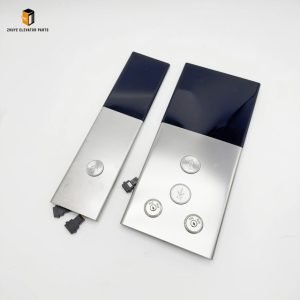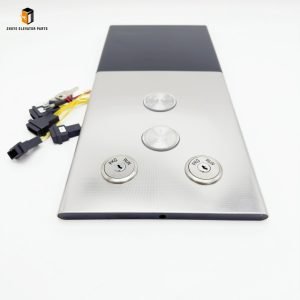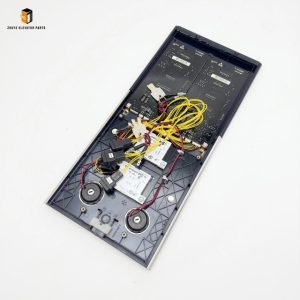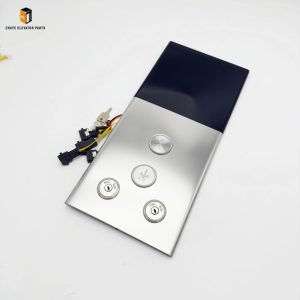
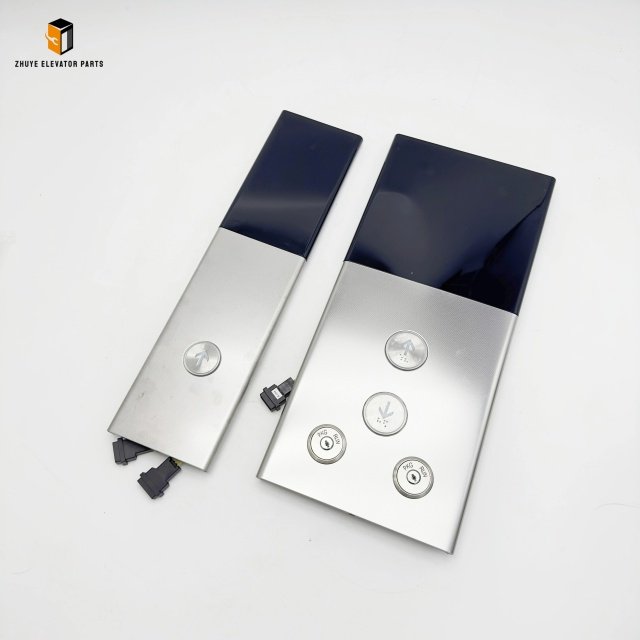
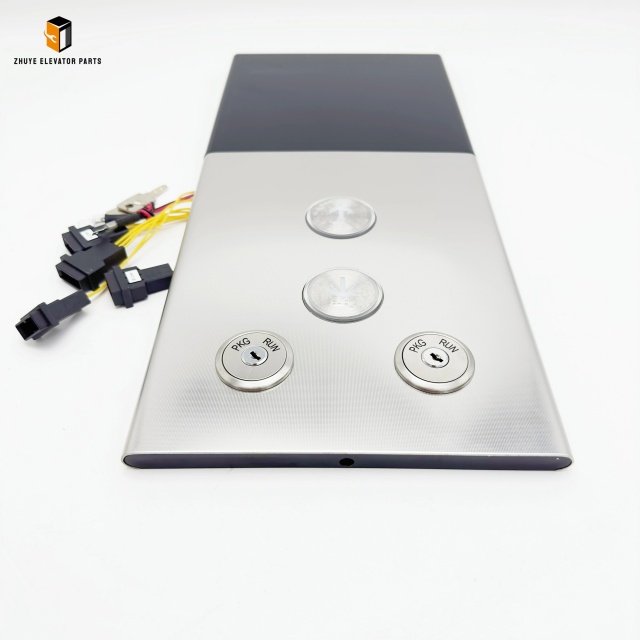


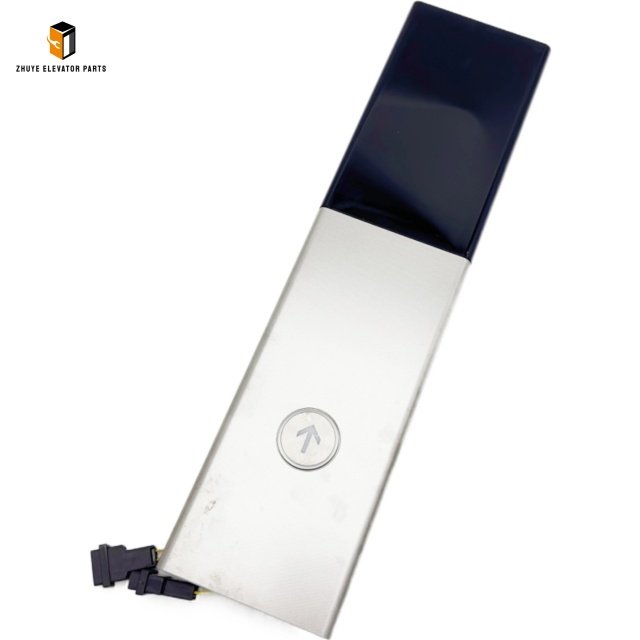
Description
Elevator Lop Panel
|
Product Name |
Elevator Lop Panel |
| Model Number | T-KVD661 |
|
Quality
|
Original.Brand New
|
|
Payment
|
T/T. Paypal. Western Union
|
|
Delivery
|
3-5 Working Days
|
|
Packaging
|
Packed by carton
|
Elevator LOP Panel T-KVD661 – Usage, Replacement Cycle & Maintenance Guide
By Nanjing Zhuye Elevatorparts
—
Introduction
The T-KVD661 Landing Operating Panel (LOP) is a premium, multimedia-ready interface designed for modern elevator lobbies. Manufactured and distributed worldwide by Nanjing Zhuye Elevatorparts, this IP54-rated unit meets EN 81-20/50, ASME A17.1 and UL standards, delivering crystal-clear floor indication, touch-free call buttons, and optional advertising display. This 800-word guide covers correct installation, daily operation, and the recommended replacement cycle to keep every landing safe, stylish and code-compliant.
—
1. Product Highlights
– Display: 6.5-inch TFT, 1920×1080 px, 700 cd/m², anti-glare
– Touch: Capacitive multi-touch, 10 million+ cycles
– Interface: RS-485, CANopen, optional Wi-Fi/4G
– Power: 24 V DC ±10 %, <8 W
– Housing: IP54 ABS, anti-UV, -20 °C to +70 °C
– Life: 50,000 h @ 25 °C, 70 % lumen maintenance
—
2. Installation Method
Step 1 – Preparation
De-energise the landing controller; lock-out/tag-out and verify zero energy. Record serial number and firmware version.
Step 2 – Mounting
Position panel 1.2 m above floor, within 0.5 m of door jamb. Drill 30 mm holes for buttons; secure with M4 screws (torque 1.2 N·m).
Step 3 – Wiring
Route shielded CAT6 cable through PG9 gland. Connect:
– 24 V DC (red/black)
– RS-485 A/B (white/orange)
– Touch sensor (shielded pair)
Earth shield at controller only; maintain 50 mm separation from power cables.
Step 4 – Commissioning
Power-up; screen lights automatically. Teach-in floor numbers, button layouts and ad playlist via service app. Test call, cancel, and full-screen emergency message.
—
3. Daily & Preventive Maintenance
Daily (Building Staff)
Visual check – screen bright, buttons respond, no cracks or moisture.
Monthly
Wipe screen and buttons with 70 % IPA; check touch sensitivity and illumination.
Quarterly
Measure 24 V rail (±1 V) and RS-485 signal (>2 V diff). Cycle buttons 100×; log any sticking or dim areas.
Annually
Replace desiccant pack inside enclosure. Perform full function test including fire-mode display and emergency stop.
—
4. Replacement Cycle & Indicators
| Duty Cycle | Replace Every | Hours | Warning Signs |
| Standard residential | 7–8 years | 50k | Touch lag, brightness <70 % |
| Commercial / hospital | 5–6 years | 35k | Pixel faults, >8 W draw |
| High-traffic / outdoor | 3–4 years | 25k | UV yellowing, IP54 failure |
Replace immediately if:
– Touch sensitivity <70 % of original
– Button contact resistance >1 Ω
– Repeated “display fault” logs
– Physical damage or water ingress
Maintain one spare T-KVD661 per 20 landings for <4-hour response.
—
5. Why Choose Nanjing Zhuye Elevatorparts?
• Full traceability – laser-etched serial & QR code
• Same-day global dispatch via DHL/FedEx Express
• 24/7 multilingual hotline and on-site training
• Competitive tiered pricing and custom skins for OEM projects
—
6. Conclusion
The T-KVD661 LOP panel is the passenger’s first impression of your elevator. By following the installation, testing, and replacement guidelines—and sourcing only from Nanjing Zhuye Elevatorparts—you guarantee code compliance, reduce downtime, and enhance user experience.