

Description
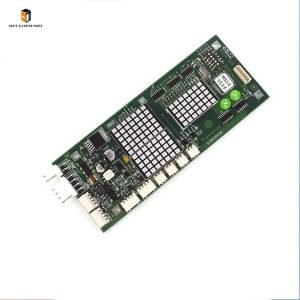
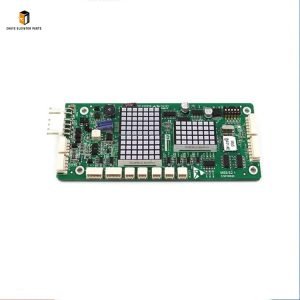
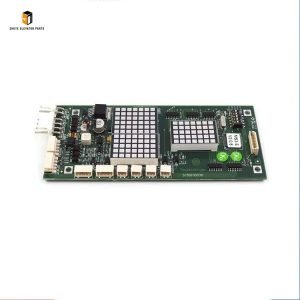
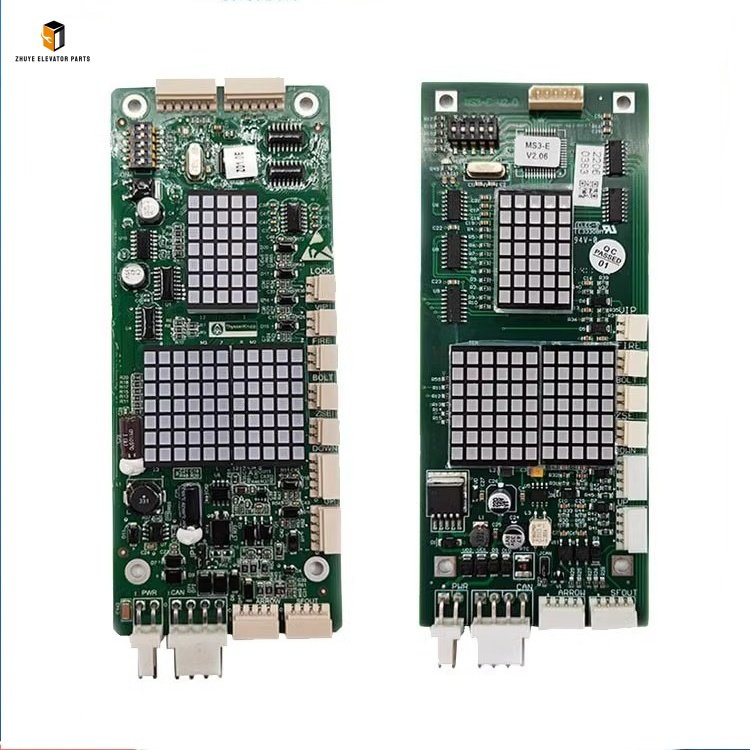
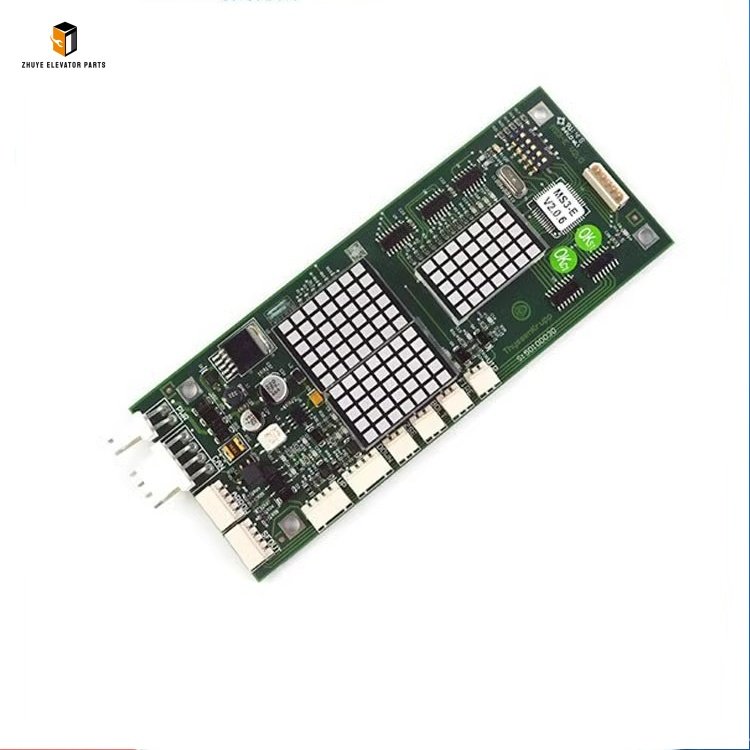
Elevator lop display board MS3-EV2.0 Brief Introduction
|
Product Name |
Elevator lop display board |
| Model Number | MS3-EV2.0
MS3-EV2.1 MS5-EV2.0 |
|
Quality
|
Original.Brand New
|
|
Payment
|
T/T. Paypal. Western Union
|
|
Delivery
|
3-5 Working Days
|
|
Packaging
|
Packed by carton
|
Nanjing Zhuye Elevator Parts: Elevator LOP Display Board MS3-EV2.0 – Universal Intelligent Landing Interface
Elevator landing operation efficiency and passenger experience depend on versatile, reliable display boards, and the Elevator LOP Display Board MS3-EV2.0 stands as a universal intelligent interface designed for compatibility with multiple mainstream elevator brands (Mitsubishi, KONE, XIZI, Otis, Schindler). This advanced LOP board integrates real-time status display, floor selection, and emergency communication functions, delivering clear car position, travel direction, and wait time information while ensuring intuitive operation for passengers. Nanjing Zhuye Elevator Parts, a globally trusted supplier of premium elevator components, proudly offers MS3-EV2.0 LOP display boards, engineered to meet international industrial standards (IEC 60947) and deliver consistent performance across diverse elevator configurations. This article provides a comprehensive guide to the product’s features, proper usage methods, replacement cycles, and why Nanjing Zhuye Elevator Parts is the preferred choice for elevator professionals worldwide.
Product Overview: Elevator LOP Display Board MS3-EV2.0 by Nanjing Zhuye Elevator Parts
The Elevator LOP Display Board MS3-EV2.0 is a universal landing operation panel designed for modern elevator systems, featuring a modular design that supports easy adaptation to different elevator control protocols (RS485, CANopen, Modbus). It boasts a 3.5-inch high-resolution LCD screen (320×240 pixels) with adjustable brightness (200-500 nits), ensuring clear visibility in both bright commercial lobbies and dim residential corridors. The board includes backlit floor selection buttons (1-32 floor compatibility), LED direction indicators (up/down), and a dedicated emergency call button with status feedback, all enclosed in a slim, vandal-resistant ABS plastic housing (IP54 protection against dust and moisture). Compatible with both new-install and retrofit projects, it operates on a wide voltage range (12-24V DC) and adapts to diverse temperature conditions (-10°C to 60°C).
At Nanjing Zhuye Elevator Parts, versatility and durability are non-negotiable. The MS3-EV2.0 incorporates industrial-grade electronic components with anti-interference circuitry, ensuring stable communication even in complex electrical environments. The LCD screen supports multi-language display (16 languages, including English, Chinese, Spanish, and German) and customizable interface layouts, while the buttons feature a lifespan of 1 million+ actuations for long-term reliability. Each unit undergoes rigorous quality control, including display clarity testing, protocol compatibility validation, and mechanical endurance trials, complying with ISO 9001, CE, and RoHS standards. This commitment to excellence ensures the board delivers consistent performance, reducing maintenance costs and enhancing passenger satisfaction.
How to Use the Elevator LOP Display Board MS3-EV2.0
Proper installation, protocol configuration, and calibration are critical to maximizing compatibility and functionality. Follow these professional guidelines:
Installation Steps
- Safety Preparation: Before installation, shut off the elevator’s main power supply and disconnect the landing panel power. Implement LOTO (Lockout/Tagout) procedures to prevent electrical hazards. Wear an anti-static wristband and insulating gloves to protect sensitive electronic components from static damage and injury.
- Remove the Old Display Board: Locate the existing LOP board in the landing panel (secured by concealed screws or snap-on clips). Use a plastic pry tool to gently remove the bezel (avoid metal tools to prevent scratches). Take detailed photos of the wiring connections—note terminal labels (e.g., VCC, GND, DATA+, DATA-, CALL) and cable colors to ensure correct reconnection. Disconnect the wiring harness gently, then remove the fixing screws or release the clips to detach the old board.
- Prepare the Mounting Area: Clean the mounting bracket and landing panel cutout with a dry, lint-free cloth to remove dust, debris, or residual adhesive. Inspect the wiring harness for fraying, insulation damage, or bent pins (replace if necessary) to ensure reliable electrical contact. Verify the panel’s installation space matches the MS3-EV2.0’s dimensions (180×120×30mm).
- Install the New Board: Align the Nanjing Zhuye Elevator Parts MS3-EV2.0 with the mounting bracket, ensuring the display is oriented correctly (floor numbers upright and buttons accessible). Secure the board with the original screws (torque: 0.9-1.3 N·m) or snap it into place until the clips lock firmly. Reconnect the wiring harness according to the photos, matching each wire to the correct terminal—use crimp connectors for tight, insulated connections. Configure the communication protocol via the board’s DIP switches (refer to the user manual for brand-specific settings).
- Test and Calibrate: Restore power to the landing panel and elevator. Verify the display initializes properly: check that floor numbers, direction indicators, and call status update in real time. Test button functionality by pressing floor selections and the emergency call button—confirm the elevator controller registers commands. Adjust the LCD brightness and language settings via the board’s configuration menu to match site requirements. Run 20+ floor cycles to validate consistent performance with no flickering, delayed updates, or communication errors.
Usage Precautions
- Protocol Compatibility: Confirm the board’s DIP switch settings match the elevator’s control protocol (RS485/CANopen/Modbus) before powering on—incorrect settings cause communication failures.
- Voltage Compatibility: Ensure the landing panel’s power supply falls within the 12-24V DC range—using the wrong voltage damages the screen or circuit board.
- Anti-Static Handling: Store the board in an anti-static bag when not in use. Never touch the LCD screen or exposed circuitry with bare hands, as static electricity causes permanent damage.
- Physical Care: Avoid striking or scraping the front panel. Clean the display with a soft, lint-free cloth dampened with isopropyl alcohol (no harsh chemicals) to remove fingerprints and debris.
- Water Protection: For outdoor landing panels, ensure the board’s IP54 seal is intact. Avoid direct water exposure to prevent internal component damage.
Replacement Cycle of Elevator LOP Display Board MS3-EV2.0
The replacement cycle depends on usage intensity, environmental conditions, and maintenance practices. Follow these industry-standard guidelines:
General Timeline
- High-Traffic Areas: Shopping malls, airports, or high-rise office buildings (elevators operating 12+ hours daily, frequent button presses) – replace every 7-9 years. Continuous screen illumination and button activation accelerate component aging.
- Medium-Traffic Areas: Residential buildings, hotels, or mid-rise offices (8-10 hours daily usage) – replace every 9-11 years.
- Low-Traffic Areas: Villas, industrial facilities, or low-occupancy buildings (4-6 hours daily usage) – replace every 11-13 years, with annual functionality and visibility inspections.
Signs of Replacement Need
Replace the display board immediately if:
- Display Defects: Flickering screen, dead pixels, dim backlighting, frozen indicators, or garbled text – indicating LCD module or circuit damage.
- Button Malfunctions: Unresponsive floor buttons, stuck emergency call, or inconsistent button feedback – common with excessive usage or debris buildup.
- Communication Failures: Recurring “LOP communication error” codes on the elevator controller that persist after protocol reconfiguration and wiring checks.
- Physical Damage: Cracked housing, broken buttons, or water intrusion (visible moisture inside the panel) – compromising functionality and safety.
- Power Irregularities: The board fails to power on, shuts off intermittently, or resets unexpectedly – signs of power supply module degradation.
Importance of Timely Replacement
A faulty MS3-EV2.0 LOP display board disrupts elevator operation, leading to passenger confusion, delayed service, and potential safety risks in emergency situations. Timely replacement ensures smooth landing operation, maintains passenger trust, and reduces downtime associated with service calls and component failures.
Why Choose Nanjing Zhuye Elevator Parts’ MS3-EV2.0?
Nanjing Zhuye Elevator Parts stands out as a trusted partner for elevator maintenance and upgrades:
- Universal Compatibility: Designed to work with 5+ mainstream elevator brands and multiple communication protocols, eliminating the need for brand-specific LOP boards.
- Intelligent Functionality: High-resolution LCD, multi-language support, and customizable settings adapt to diverse application scenarios (residential, commercial, high-rise).
- Rigorous Quality Assurance: 100% pre-delivery testing, including protocol compatibility, display performance, and environmental resistance trials.
- Expert Technical Support: Our team of certified engineers provides professional guidance on installation, protocol configuration, and troubleshooting via phone or email.
- Fast Global Delivery: We maintain a large inventory of MS3-EV2.0 boards to fulfill emergency replacement orders within 24-48 hours, minimizing elevator downtime.
Whether you’re an elevator maintenance firm, building manager, or service engineer, the Elevator LOP Display Board MS3-EV2.0 from Nanjing Zhuye Elevator Parts delivers the versatility, reliability, and compatibility you need. Invest in a product that prioritizes operational efficiency and passenger experience – choose Nanjing Zhuye Elevator Parts for your elevator landing component needs.