Description
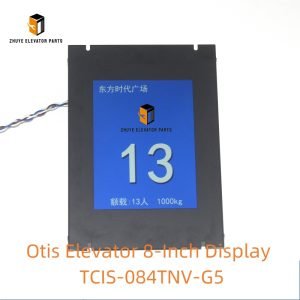
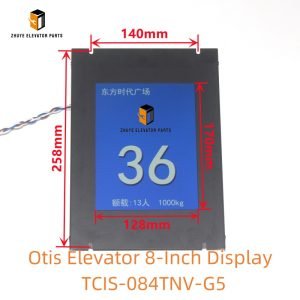
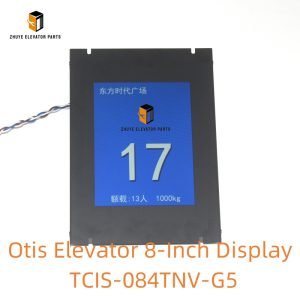
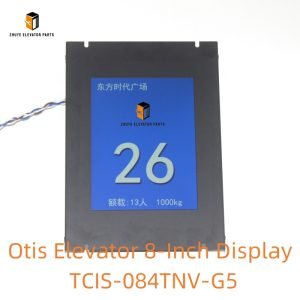
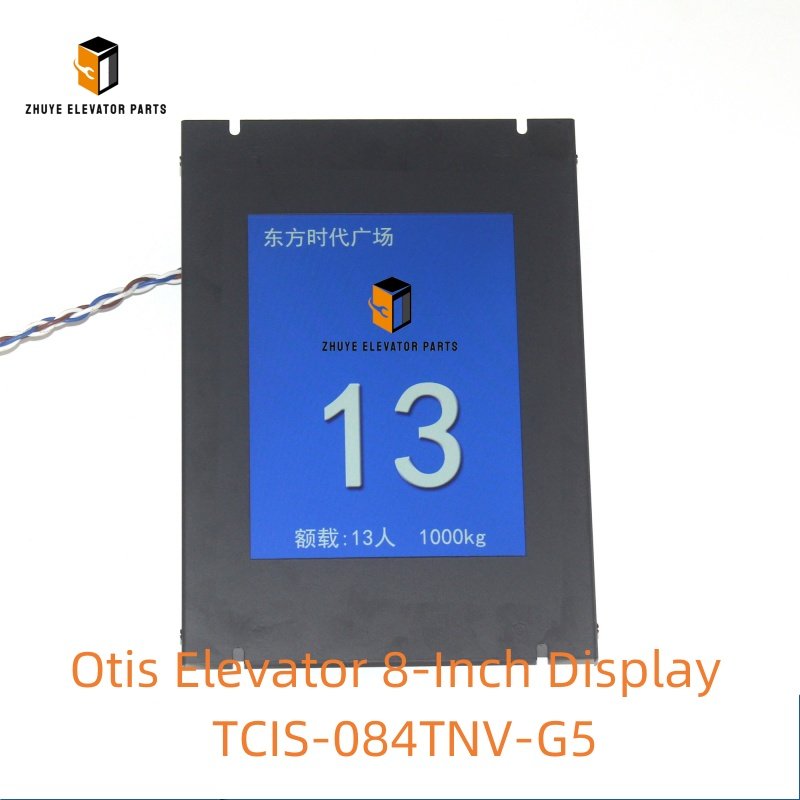
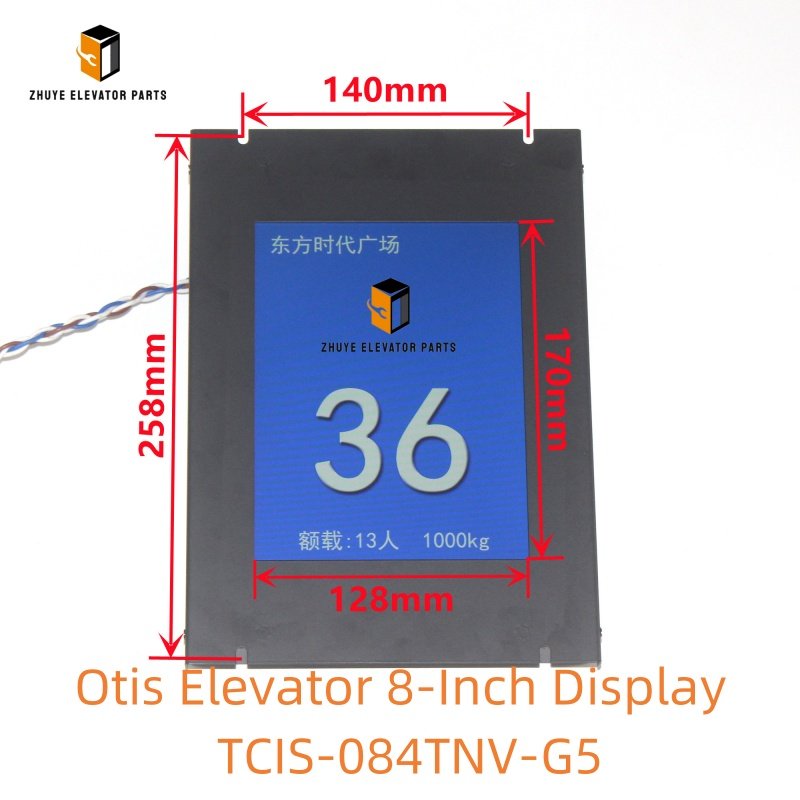
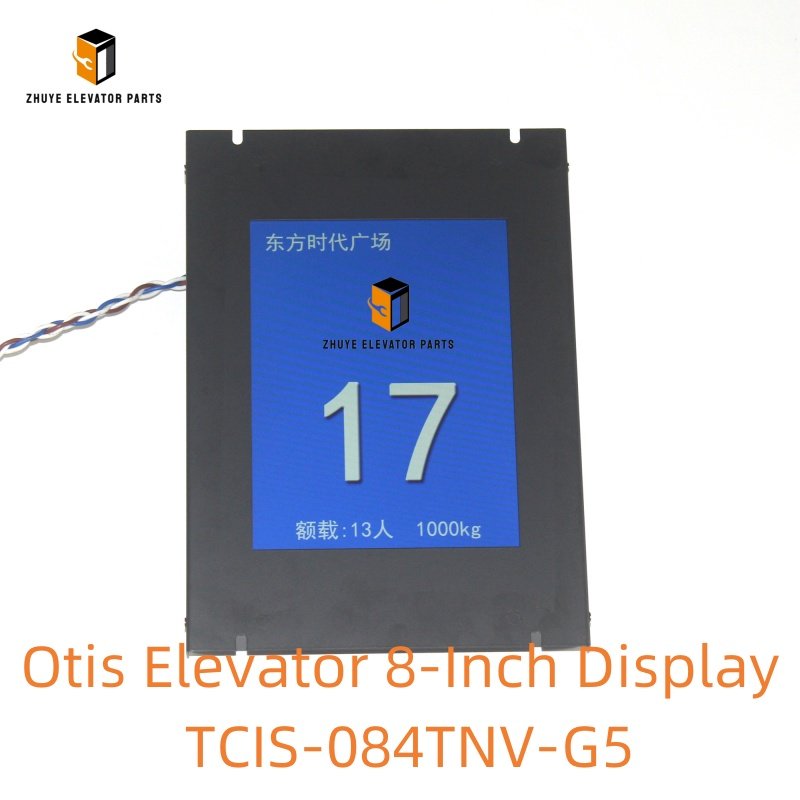
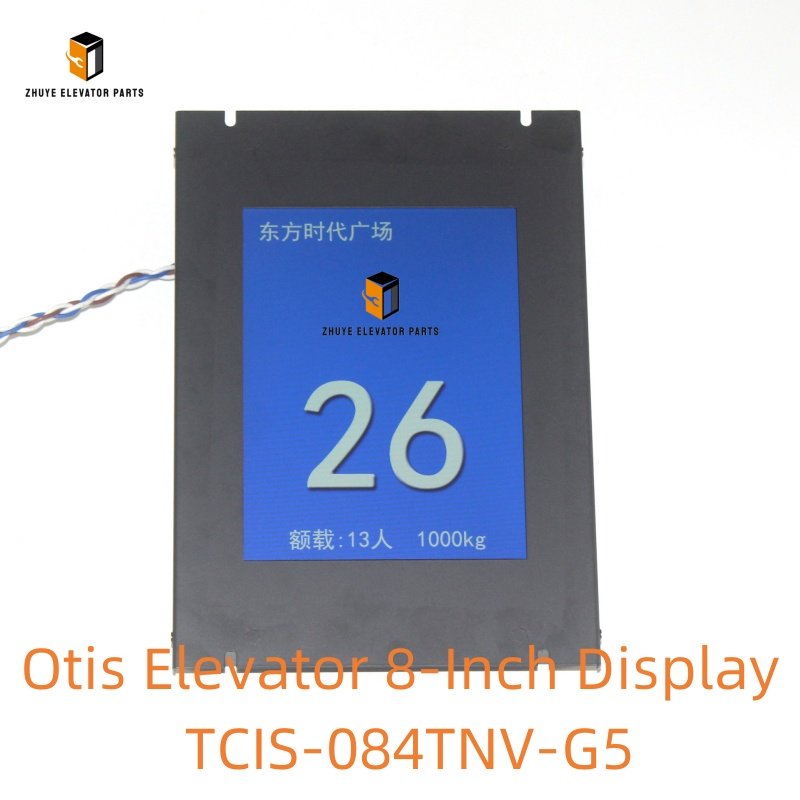
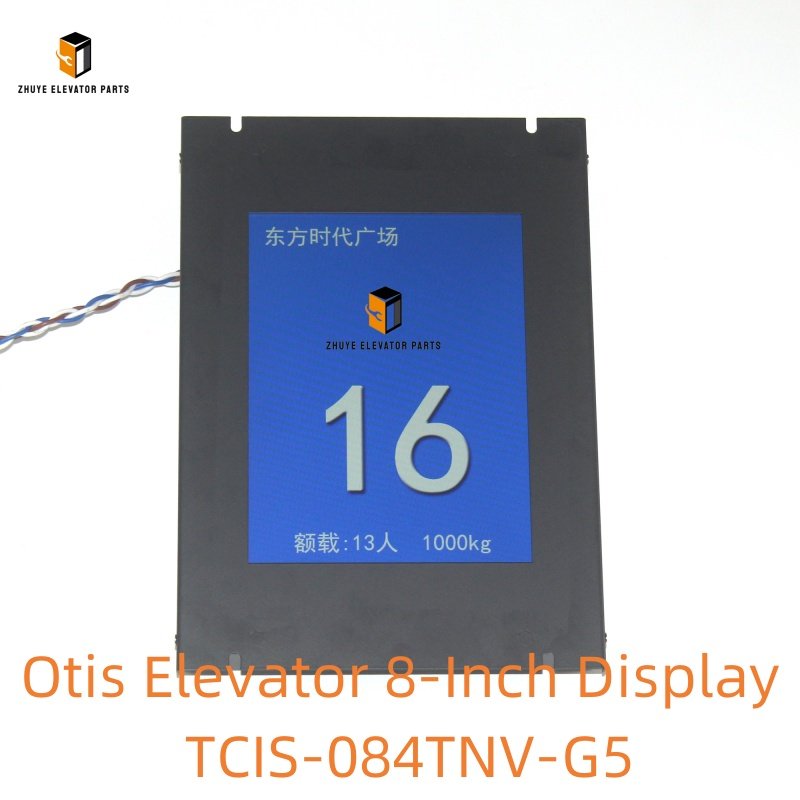
Otis Elevator 8-Inch Display TCIS-084TNV-G5 Brief Introduction
|
Product Name |
Otis Elevator 8-Inch Display |
| Model Number | TCIS-084TNV-G5 |
|
Quality
|
Original.Brand New
|
|
Payment
|
T/T. Paypal. Western Union
|
|
Delivery
|
3-5 Working Days
|
|
Packaging
|
Packed by carton
|
Otis Elevator 8-Inch Display TCIS-084TNV-G5: Usage Guide, Replacement Cycle & Trusted Supply from Nanjing Zhuye
The Otis Elevator 8-Inch Display TCIS-084TNV-G5 is a high-performance user interface component exclusively designed for Otis elevator systems—widely installed in commercial buildings, luxury residential complexes, airports, and healthcare facilities. As a central visual communication hub, this 8-inch TFT-LCD display delivers clear, multi-functional information to passengers: real-time floor position, elevator running direction, load status, fault notifications, and optional custom content (e.g., building announcements, safety guidelines). Compliant with global safety and accessibility standards (EN 81, ASME A17.1, ADA, ISO 9001), it features a high-brightness (≥500 nits) anti-glare screen, wide viewing angle (178° horizontal/vertical), and durable touch-sensitive surface to ensure visibility and usability in all lighting conditions, including for passengers with visual impairments. For property managers, facility operators, and elevator maintenance teams, mastering the correct installation, configuration, and replacement timelines of the TCIS-084TNV-G5 is vital to enhance passenger experience, maintain operational transparency, and uphold compliance with accessibility regulations. Nanjing Zhuye Elevator Parts, a trusted supplier of authentic Otis components, delivers the TCIS-084TNV-G5 that meets Otis’s original manufacturing specifications, guaranteeing seamless compatibility, reliable performance, and long-term durability.
Proper Usage Methods of Otis Elevator 8-Inch Display TCIS-084TNV-G5
1. Pre-Installation Preparation
Before installing the TCIS-084TNV-G5, prioritize safety by shutting off the elevator’s main power supply and securing the cab control panel junction box with a lockout tag. Inspect the 8-inch display for physical damage—such as cracked screens, non-responsive touch surfaces, loose connectors, or damaged wiring harnesses—defects that can compromise visibility or functionality. Nanjing Zhuye Elevator Parts conducts rigorous quality control checks, so each TCIS-084TNV-G5 unit arrives in flawless condition, with intact screens, calibrated brightness, responsive touch sensors, and pre-tested circuitry. Additionally, verify compatibility with your Otis elevator model by cross-referencing the technical manual or consulting Nanjing Zhuye’s technical support team—ensure the display’s voltage rating (typically 24V DC), communication protocol (e.g., CAN bus, RS485), and mounting cutout dimensions (matching standard 8-inch elevator display openings) match your cab panel and control system requirements.
2. Installation & Configuration Steps
- Mounting the Display:
- Locate the designated installation position in the elevator cab—typically on the front or side cab panel, at a height of 120–150cm above the floor for optimal viewing by standing and seated passengers. Ensure the mounting surface is flat, rigid, and capable of supporting the display’s weight (approximately 1.2–1.5kg).
- Remove the existing display (if replacing) by unscrewing the retaining screws from the front bezel or rear bracket. Align the TCIS-084TNV-G5 with the cab panel cutout, ensuring the screen is centered and the bezel fits flush against the panel to prevent dust ingress. Secure the display using the provided anti-vibration screws (torque to 0.5–0.8 Nm) to protect internal components from elevator movement.
- Wiring Connection:
- Follow the wiring diagram provided by Otis or Nanjing Zhuye to connect the display to the elevator’s main controller and power supply:
- Connect the power wires (positive/negative) to the designated terminals—incorrect polarity can damage the LCD panel or touch sensor.
- Attach the communication wires to enable data transmission (floor position, direction, load status) and control signals (touch input for optional functions like floor selection).
- Secure all connections with terminal blocks and route wiring neatly through the cab panel conduit to avoid damage or signal interference.
- Follow the wiring diagram provided by Otis or Nanjing Zhuye to connect the display to the elevator’s main controller and power supply:
- Functionality Configuration:
- Restore power to the elevator and confirm the display initializes correctly (Otis logo or startup screen appears). Access the configuration menu via Otis-approved diagnostic software (by certified technicians):
- Set display parameters: brightness (adjustable for day/night modes), contrast, screen timeout (to reduce power consumption), and language (supports multi-language options for international buildings).
- Enable/disable custom content: Upload building-specific announcements, safety videos, or branding via USB (if supported) and schedule playback times.
- Sync with the main controller: Verify that floor numbers, direction arrows, and load indicators update in real time as the elevator operates.
- Restore power to the elevator and confirm the display initializes correctly (Otis logo or startup screen appears). Access the configuration menu via Otis-approved diagnostic software (by certified technicians):
- Functional Testing:
- Validate all display functions:
- Test touch responsiveness (if applicable): Press on-screen buttons (e.g., floor selection, emergency call) to confirm they register inputs and send signals to the controller.
- Verify visibility: Check the screen from multiple angles and under different lighting conditions (direct sunlight, dim cab) to ensure content remains legible.
- Simulate fault conditions (e.g., overload, maintenance mode) to confirm error messages are displayed clearly with actionable guidance for passengers.
- Document test results to demonstrate compliance with safety and accessibility standards.
- Validate all display functions:
3. Routine Usage Maintenance
To preserve the TCIS-084TNV-G5’s visibility and performance, implement these routine practices:
- Conduct weekly visual inspections: Check for loose mounting, damaged bezels, or smudges/scratches on the screen. Clean the display surface with a soft, lint-free microfiber cloth—avoid harsh chemicals, abrasive materials, or excessive pressure that can scratch the anti-glare coating.
- Test functionality monthly: Verify touch responsiveness (if applicable), brightness consistency, and real-time data sync. Document any display anomalies (e.g., flickering, dead pixels) for repair.
- Inspect wiring connections quarterly for corrosion, wear, or looseness; tighten terminals or replace damaged cables with genuine Otis parts from Nanjing Zhuye.
- Update firmware annually (as recommended by Otis or Nanjing Zhuye) to address software bugs, enhance compatibility with system upgrades, and add new features (e.g., expanded language support).
Recommended Replacement Cycle
The service life of the Otis Elevator 8-Inch Display TCIS-084TNV-G5 depends on usage intensity (daily operation hours), environmental conditions (cab humidity, dust, physical contact), and maintenance quality. Based on industry standards and Nanjing Zhuye’s technical expertise, the following replacement guidelines are recommended:
1. Standard Replacement Cycle
Under normal operating conditions (12–18 hours of daily use, regular maintenance, and careful handling), the TCIS-084TNV-G5 should be replaced every 6–8 years. This timeframe accounts for gradual LCD panel degradation (dimming, color shift), touch sensor wear (if applicable), and firmware obsolescence—ensuring the display maintains visibility, responsiveness, and compatibility with elevator system upgrades. Proactive replacement is critical to avoid passenger frustration from unreadable content or non-functional touch inputs, while upholding accessibility compliance.
2. Signs That Require Immediate Replacement
Replace the 8-inch display immediately if you encounter any of the following issues:
- Visibility failures: Dim/flickering screen, significant color distortion, or dead pixels covering more than 5% of the display area—rendering content unreadable.
- Touch sensor malfunctions: Unresponsive or erratic touch inputs (if applicable) that cannot be resolved via calibration or firmware updates.
- Physical damage: Cracked screen, broken bezel, or water intrusion that impairs functionality or poses a safety hazard (e.g., sharp edges).
- Data sync errors: Floor position, direction, or fault indicators do not update in real time, or display incorrect information despite controller checks.
- Firmware incompatibility: Inability to update firmware or integrate with elevator system upgrades—older displays may lack support for new accessibility features or custom content formats.
3. Maintenance to Extend Service Life
To maximize the TCIS-084TNV-G5’s lifespan and maintain usability:
- Protect the display from physical damage: Install a protective film (if not factory-equipped) to shield the screen from scratches, and educate building occupants on gentle touch usage (if applicable).
- Maintain the elevator cab at a stable temperature (10–35°C) and low humidity (30–60%) to prevent LCD panel degradation and touch sensor failure.
- Avoid exposing the display to direct sunlight for extended periods, as UV radiation can accelerate screen dimming and anti-glare coating damage.
- Use only genuine replacement parts and accessories from Nanjing Zhuye for repairs, as counterfeit displays may have inferior LCD panels, non-compliant touch sensors, or compatibility issues with Otis systems.
Why Choose Nanjing Zhuye Elevator Parts?
When sourcing the Otis Elevator 8-Inch Display TCIS-084TNV-G5, Nanjing Zhuye Elevator Parts offers unmatched advantages for user-centric facility management:
- Authenticity & Compliance: All TCIS-084TNV-G5 displays are manufactured to Otis’s original specifications, ensuring seamless integration with Otis elevators and adherence to global safety/accessibility standards (ADA, EN 81).
- Strict Quality Assurance: Each unit undergoes comprehensive testing—including screen brightness uniformity, touch responsiveness (if applicable), data transmission accuracy, and environmental durability—to guarantee visibility and reliability in high-traffic elevators.
- Expert Technical Support: Nanjing Zhuye’s certified engineers provide 24/7 assistance, from installation alignment and firmware updates to troubleshooting display anomalies specific to Otis systems.
- Global Efficient Delivery: With a robust supply chain and logistics network, Nanjing Zhuye delivers user-facing components promptly worldwide, minimizing downtime during replacement while maintaining passenger satisfaction.
- Competitive Pricing: By eliminating middlemen, Nanjing Zhuye offers cost-effective solutions without compromising quality, helping you enhance passenger experience while managing maintenance budgets.
Conclusion
The Otis Elevator 8-Inch Display TCIS-084TNV-G5 is a cornerstone of modern elevator user experience, providing clear communication and optional interactive functionality to enhance passenger convenience and safety. By following proper installation, configuration, and maintenance methods, adhering to recommended replacement cycles, and partnering with a trusted supplier like Nanjing Zhuye Elevator Parts, you can ensure your Otis elevators remain user-friendly, compliant, and technologically up-to-date. Whether you need a replacement display, technical support for custom content configuration, or bulk orders for a building fleet, Nanjing Zhuye is committed to delivering premium elevator components and tailored professional services. Invest in passenger experience—choose Nanjing Zhuye Elevator Parts for your Otis TCIS-084TNV-G5 8-inch display requirements.